Everything inside

Every feature maps to something that happens on a real shoot

Four pillars: plan the mission, run the flight day, manage the business, grow the pipeline. Here's all of it — with real screenshots, not mockups.

Pillar one · Plan

Photogrammetry-grade mission planning

The same math the big survey platforms charge enterprise money for — from an address, in seconds.

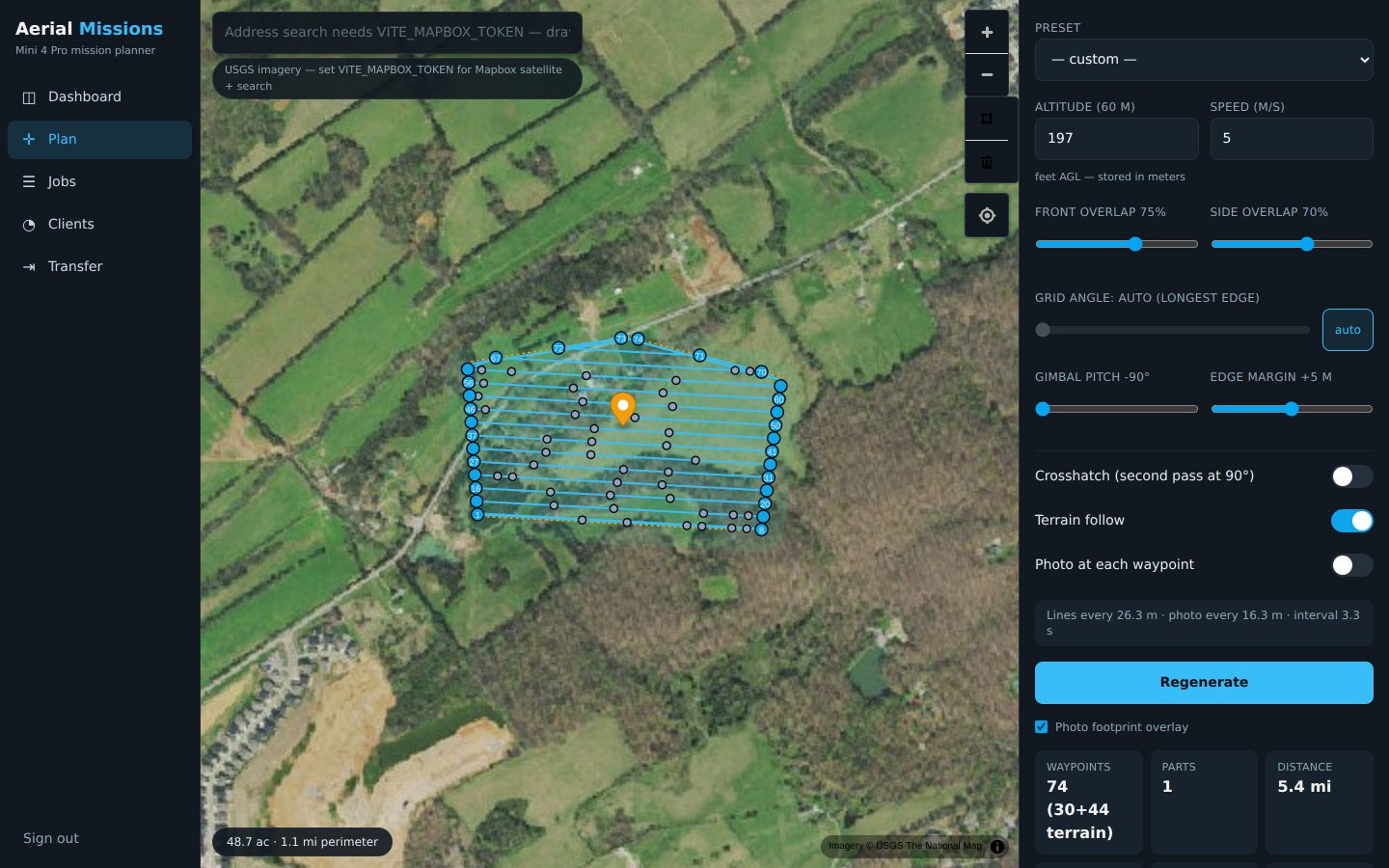
  • Address → parcel → grid. Geocode any address, pull the county parcel where available, or draw and import boundaries by hand.
  • Live overlap math. Front/side overlap sliders show line spacing, photo spacing, interval, and ground resolution as you drag.
  • Target-GSD solver. Tell it the resolution the client needs; it sets the altitude.
  • Terrain following. Waypoint altitudes track the ground, not the takeoff point — with an elevation profile of exactly what the drone will do.
  • Crosshatch & corridor missions. Double-grids for 3D models; corridor passes for roads, creeks, and power lines.
Mission planner with serpentine grid over satellite imagery

A residential mapping grid, numbered in flight order.

  • DJI Fly KMZ export. Fly the mission from the app you already own. The camera math ships tuned for the Mini 4 Pro and is extensible per drone — as with any planning tool, verify an exported mission against your specific aircraft at low altitude before commercial work.
  • Waypoint-budget aware. Terrain waypoints are inserted only where the ground demands them; missions split at the 200-waypoint limit on line boundaries, never mid-pass.
  • Six camera profiles with per-drone photo-interval floors — warnings fire before you plan a mission the camera can't shoot.
  • Battery estimates per part, with a swap plan when a survey runs long.
  • DroneDeploy interop. Import their KML boundaries; export yours back.
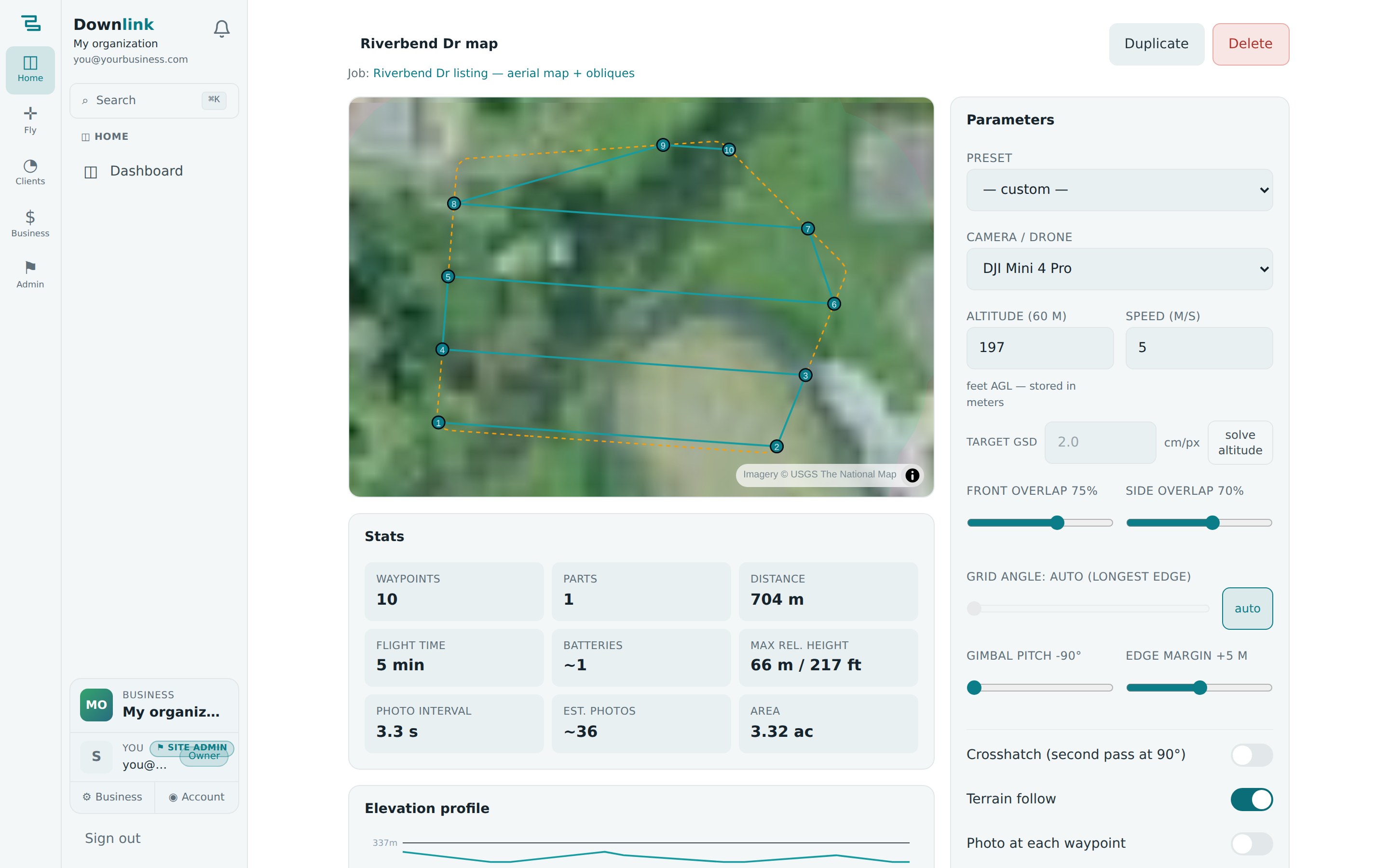
Saved mission with stats: waypoints, parts, flight time, batteries, max relative height, photo interval, elevation profile

Every mission stores its stats, parameters, and elevation profile.
Pillar two · Fly

Flight ops a generic CRM can't even express

Airspace, weather, light, and paperwork — answered inside the job, not in four other apps.

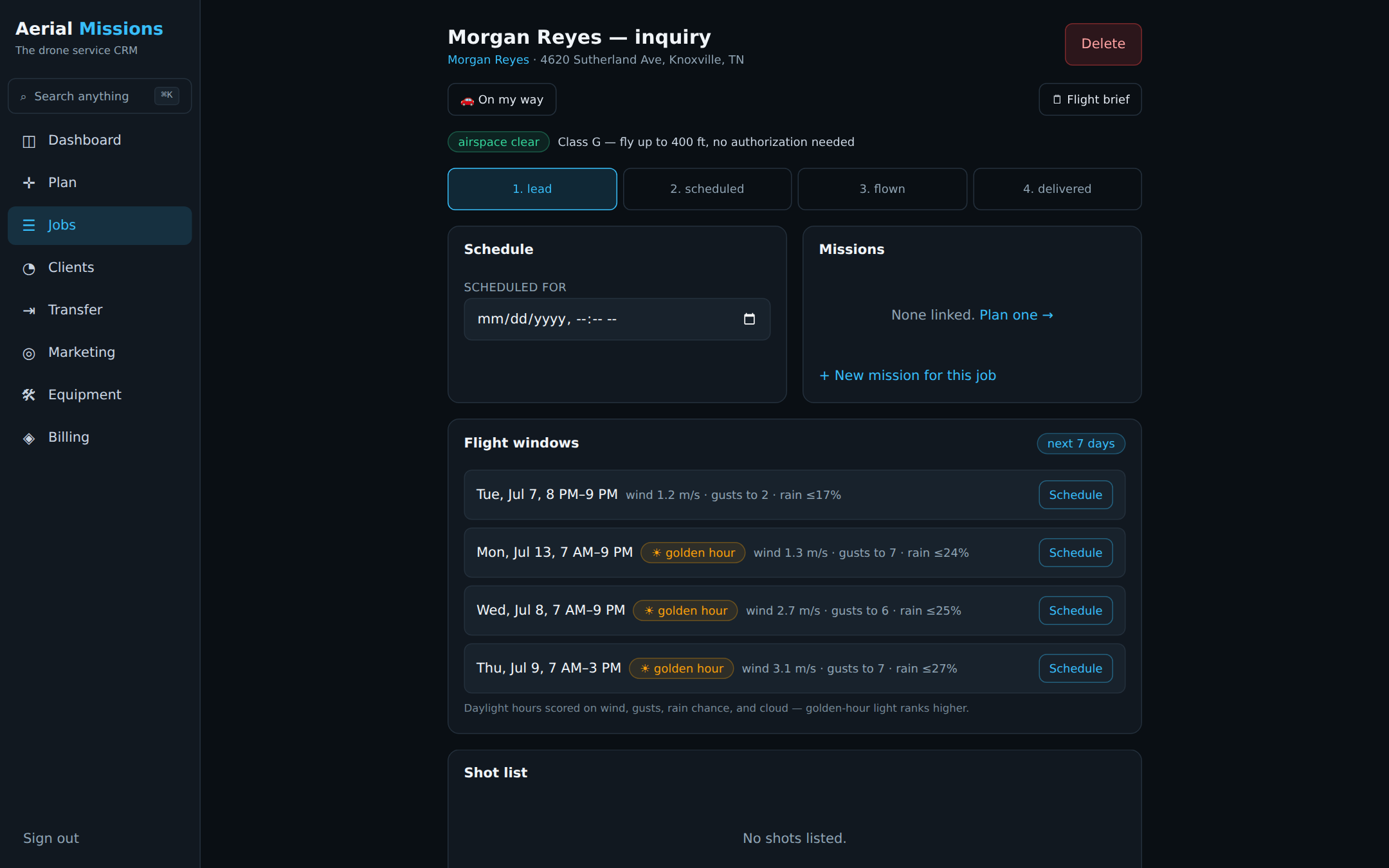
  • FAA airspace verdict on every property. Straight from the FAA's own facility maps: "Class G — fly to 400 ft", "LAANC required — 200 ft ceiling at DKX", or "0-ft grid — manual authorization". Known at quote time.
  • Flight windows. The next 7 days scored hourly on wind, gusts, rain, and cloud — grouped into flyable windows, golden-hour light ranked first. One tap schedules the job.
  • Wind re-check on the slot. The scheduled hour's forecast shows on the job and flags above the safe limit.
  • Sun position & golden hour computed for the exact property and date.
Job page with airspace verdict chip and ranked flight windows

The job page answers "can I fly, and when should I?"

  • Smart pre-flight checklists, auto-filled from the mission: the exact timed-shot interval to set, gimbal pitch, max-altitude setting, parts order, batteries needed.
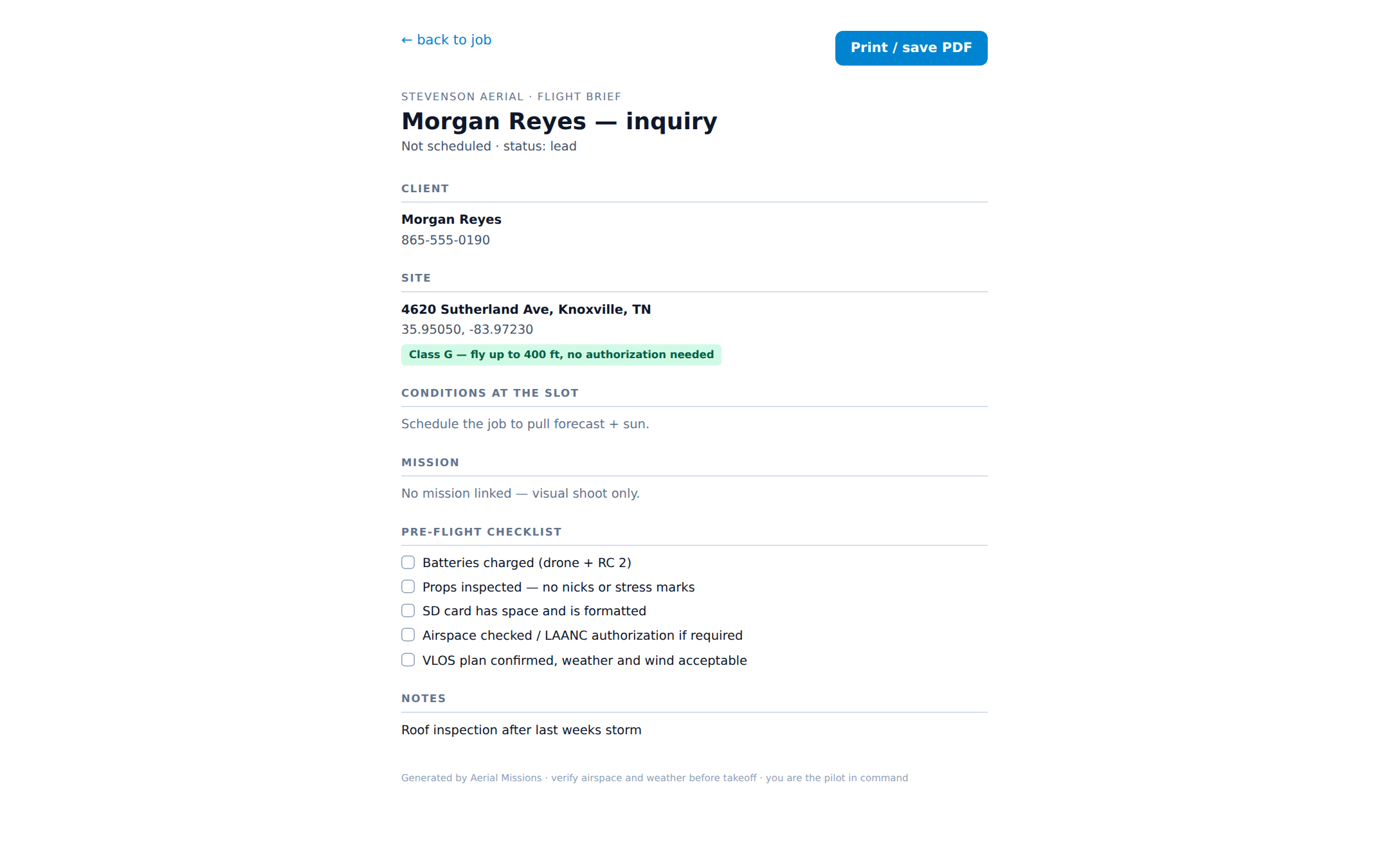
  • The printable flight brief. Client contact, address, airspace verdict, conditions, mission numbers, checklist, and shot list on one page — print it or save the PDF.
  • Shot lists per job so the twilight pano the agent asked for never gets forgotten.
  • Flight log per job: when you flew, batteries used, conditions — your operating history builds itself.
Printable one-page flight brief: client, site, airspace, conditions, mission numbers, checklist

The day-of brief — everything on one page, in your truck.

Pillar three · Manage

A pipeline tuned to how drone work actually moves

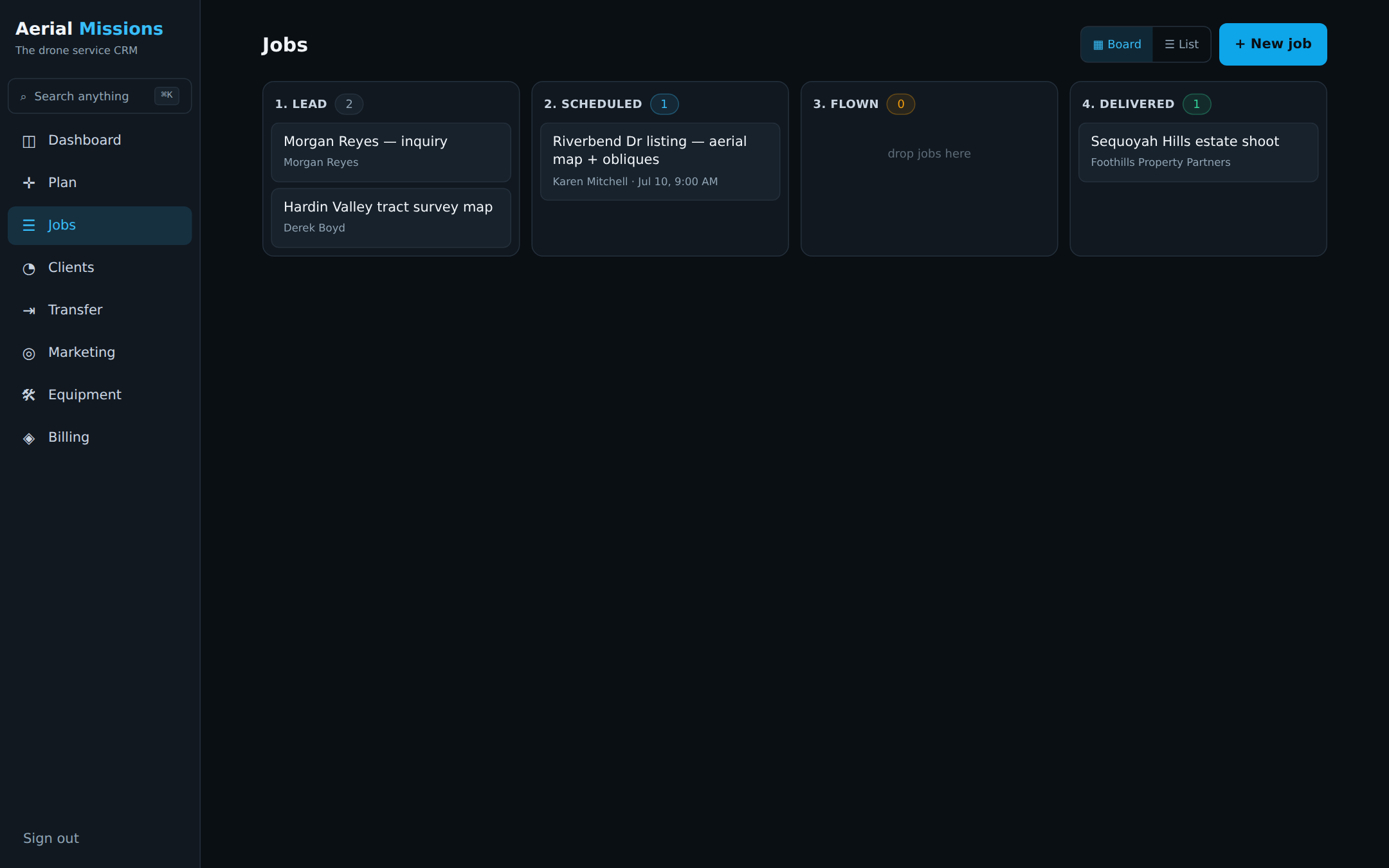
  • Drag-drop board: lead → scheduled → flown → delivered.
  • Drone-tuned rotting. Listing leads go cold in days, so idle leads amber at 3 days; flown-but-undelivered — the reputation killer — goes red at 48 hours; passed flight dates flag instantly.
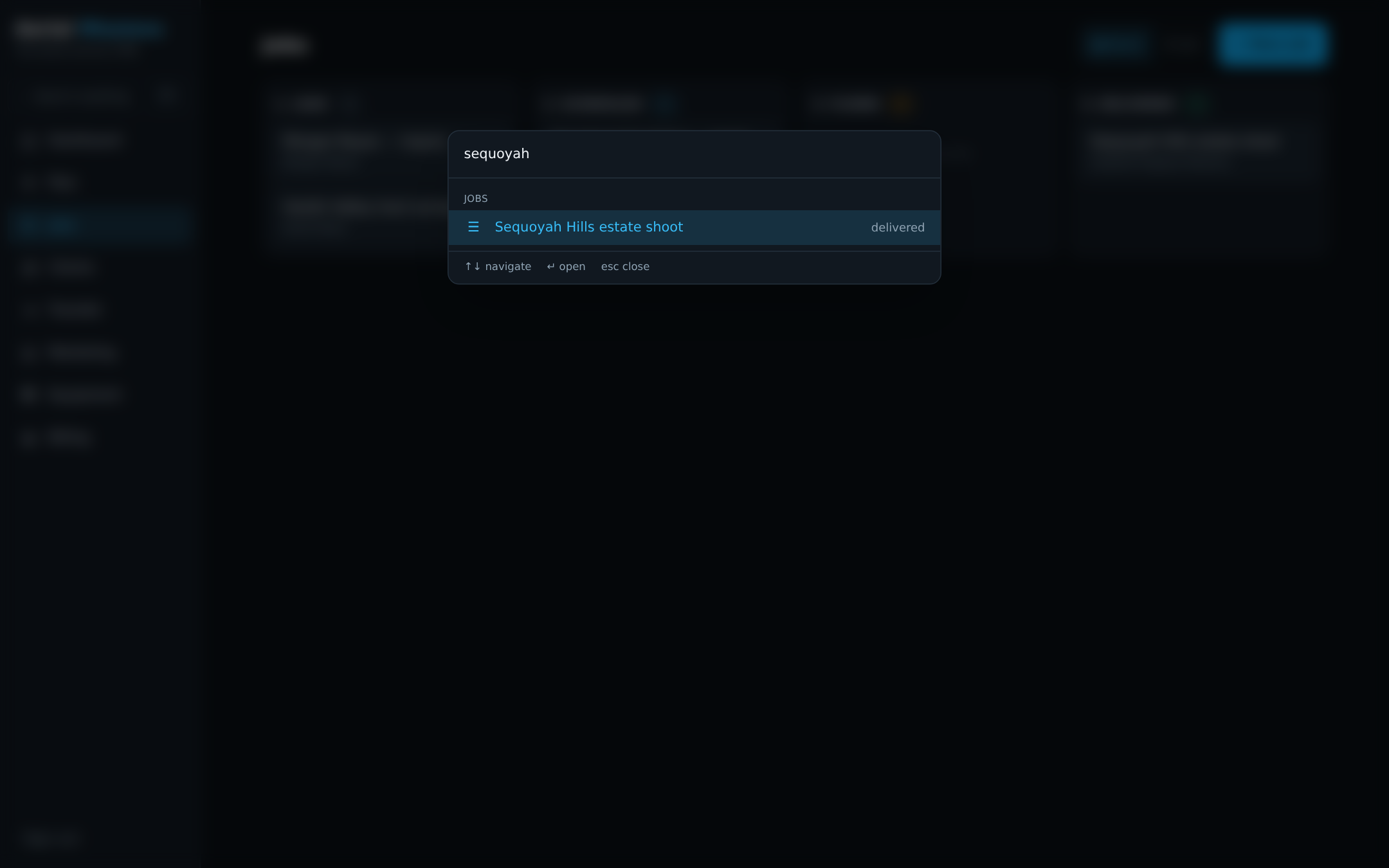
  • ⌘K everywhere. One keystroke finds any client, job, lead, mission, or address — typing an address jumps straight into the planner.
  • Quotes → invoices in one click when the job's won, with Stripe payment links to collect online.
  • Deliverables tracking: every photo set, video, ortho, and model a job owes, with delivery links.
Kanban jobs board with staleness badges

The board flags what's going cold before it dies.

Command palette searching across clients, jobs, leads, missions and addresses

⌘K — search anything, jump anywhere.

  • Client activity timelines that assemble themselves — leads, jobs, flights, quotes, invoices, deliveries in one river.
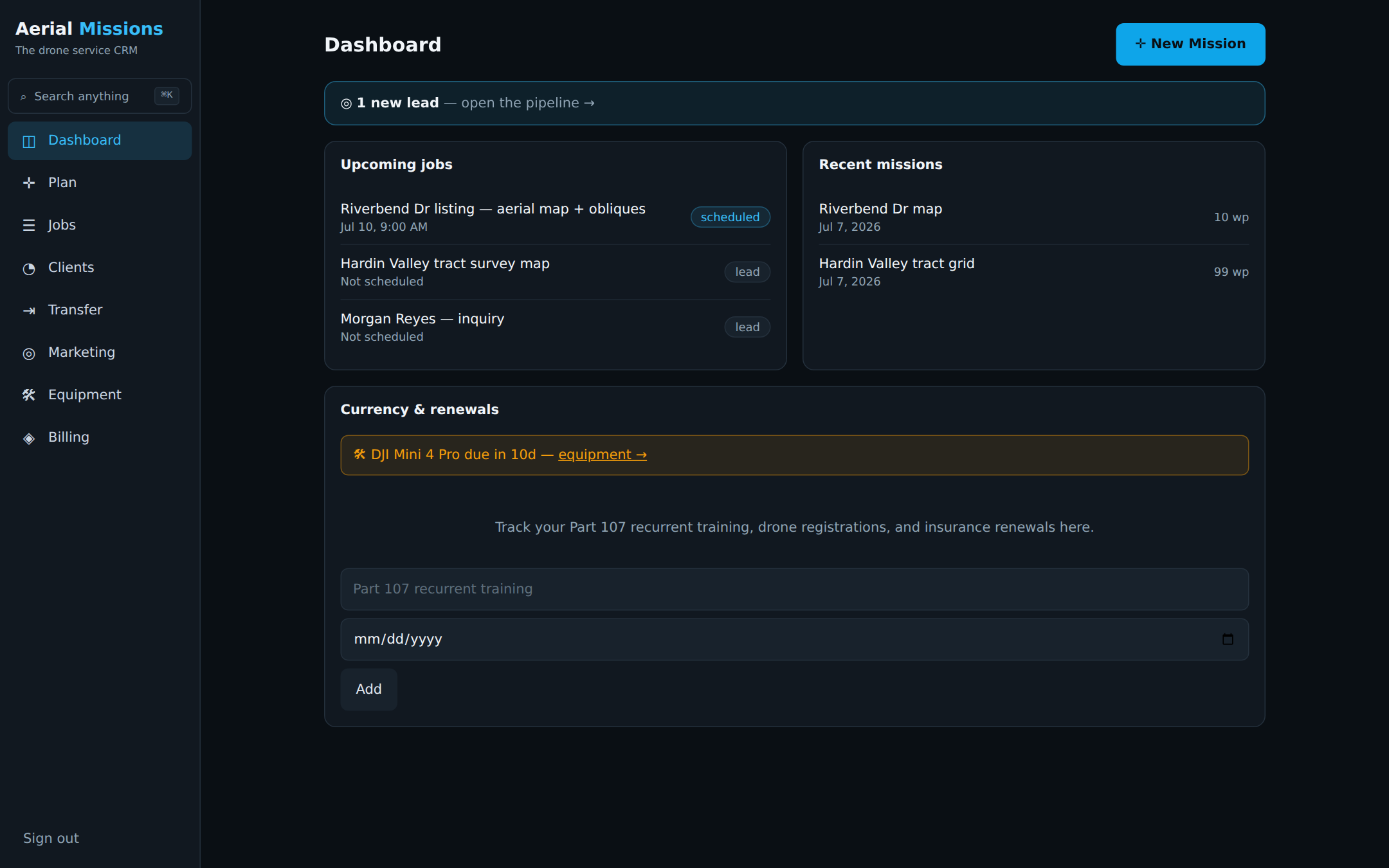
  • Part 107 & renewals tracker: recurrent training, registration, insurance — with day-countdown badges on the dashboard.
  • Equipment & battery registry: serials, cycle counts with aging warnings, retirement flags, and service reminders that surface on the dashboard.
  • One-tap client comms: "on my way" texts on the drive out; review requests with your Google link the moment a job is delivered.
Dashboard with upcoming jobs, recent missions, lead alerts, credential renewals and maintenance reminders

The dashboard: what's flying, what's due, what needs a reply.

Pillar four · Grow

A marketing engine, not just a contact list

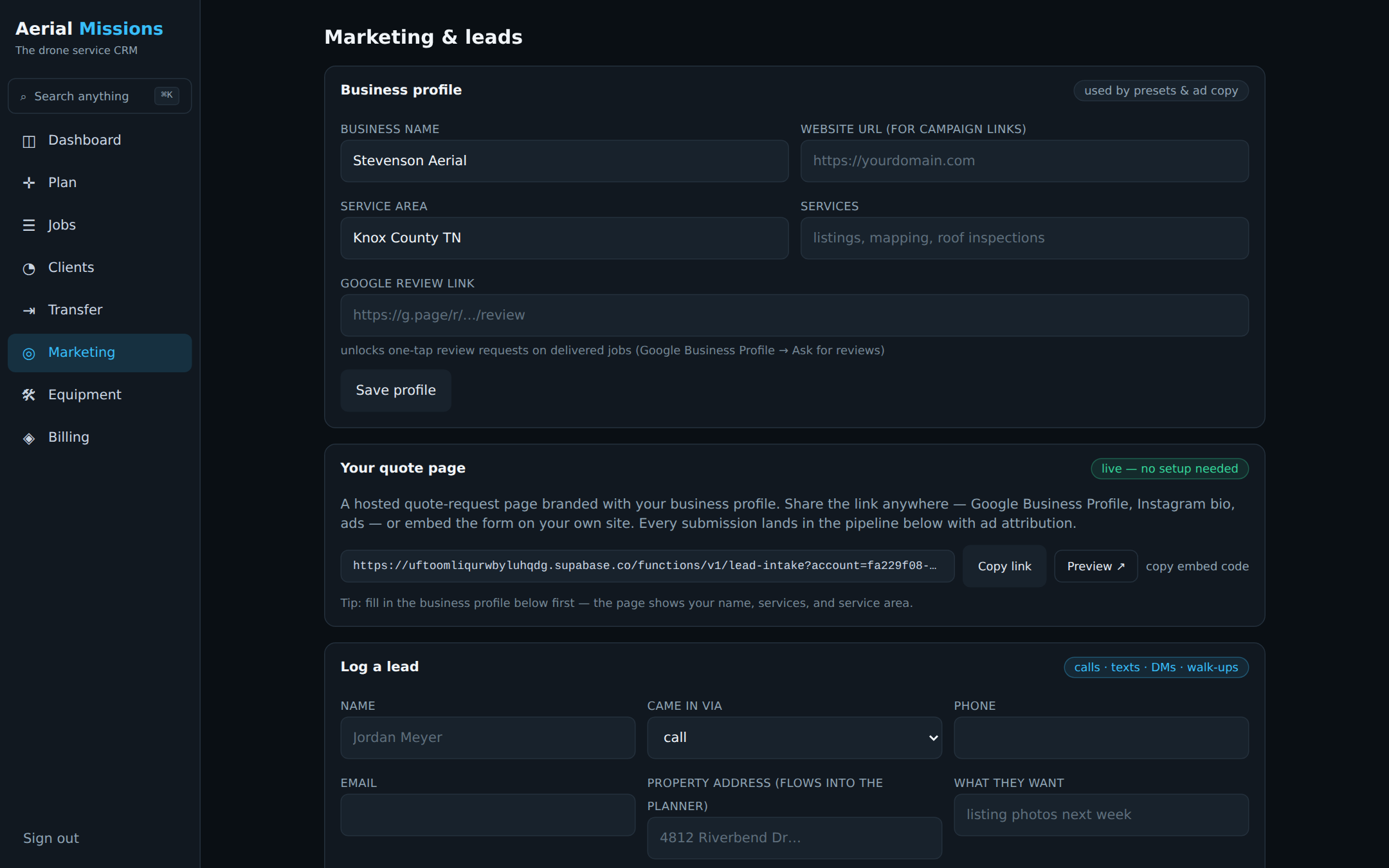
  • Your own quote page, live at signup. Hosted and branded with your business — share it in your Google Business Profile, Instagram bio, or ads. No website needed.
  • Embed anywhere: one line of HTML puts the same form on any site you already have.
  • Ad attribution built in. UTM tags and Google Ads click IDs ride along automatically — every lead shows the campaign that earned it, and campaigns show their lead counts.
  • Ready-to-paste Google Ads copy, localized to your service area, inside RSA character limits.
  • Preset responses with auto-filled placeholders, sent by email, text, or copied for DMs — on a day 0 / 2 / 7 follow-up cadence with overdue flags.
  • Lead → job in one click: convert, and the planner opens with the customer's address already loading.
Marketing page: hosted quote page link, lead pipeline with attribution, campaigns, preset responses

Leads in, attributed; replies out, in one tap.

See it with your own jobs in it

The free plan is a real plan — full planner, airspace, flight windows, three clients. No card.